
Anleitung für Mod-Manager und Launcher
G1L-Mod-Manager und Launcher für Gothic 1 Remake
G1L ist ein Community-Mod-Manager und Launcher für Gothic 1 Remake. Unterstützte Mods, Profile, Loader-Informationen und Startaktionen können an einem Ort verwaltet werden, aber G1L ist keine universelle Kompatibilitätsschicht. Beginne mit dem offiziellen Release, sichere deine Spielstände und behandle das erste Profil als kontrollierten Test.
Geprüft am 22. August 2026 · Offizielle G1L-Quelle und Release v0.8.1 geprüft
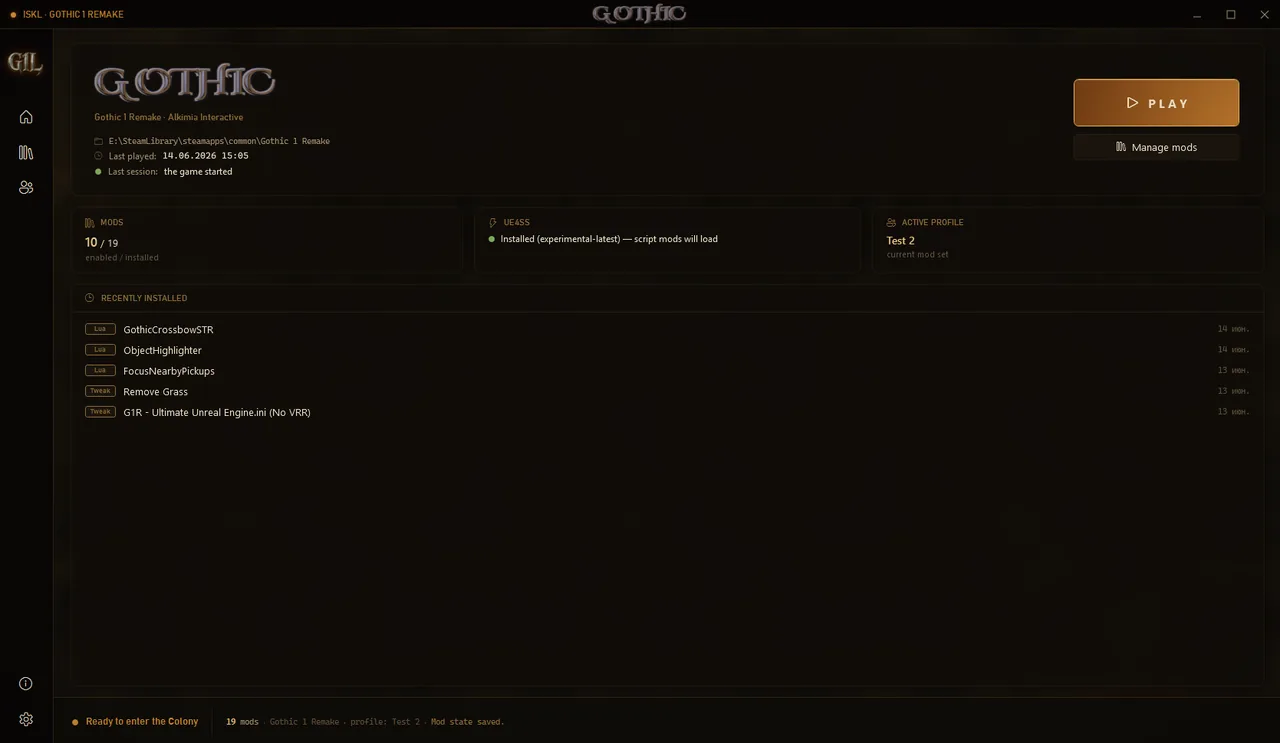
Was G1L ist und wann du es verwenden solltest
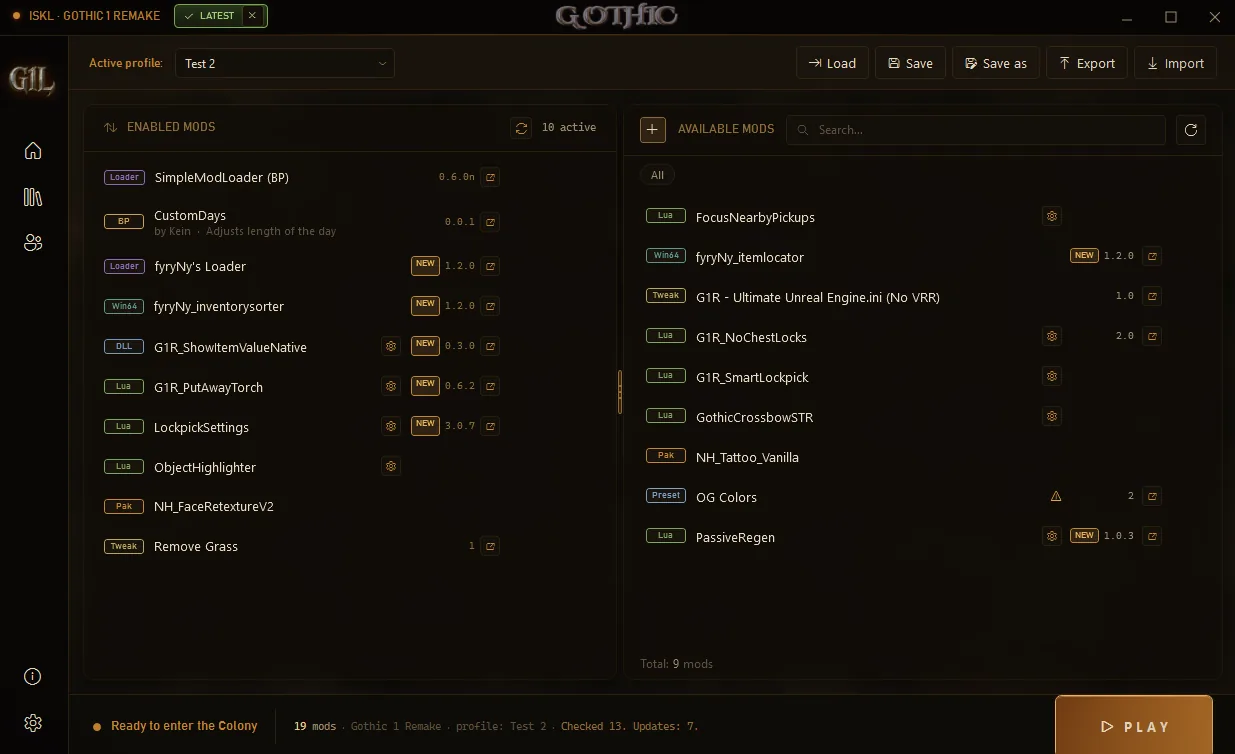
G1L is a dedicated launcher and mod-management workflow for Gothic 1 Remake. The official project screenshots show a game entry, an active profile, enabled and available mods, and launch controls in one dark interface. That makes it useful when you want named profiles, a visible mod state, and a repeatable way to start the game. It is especially helpful when a setup contains several supported mod types and you want to switch between a clean profile and a test profile without manually copying the same files every time.
G1L does not make every Gothic 1 Remake archive compatible. A package may still require UE4SS, SimpleModLoader, a BP loader, a specific folder, a separate configuration file, or a new game. Use the safe installation guide for archive inspection and backups, then use this page for the G1L boundary. If a mod author says to install a file manually, do not assume that an Import button replaces the author's required path.
| Layer | What it does | What you still verify |
|---|---|---|
| G1L | Provides a launcher, profiles, mod state, and supported management actions | Project release notes, supported layout, game path, and rollback |
| Content mod | Adds a visual, quality-of-life, tool, or gameplay change | Author requirements, files, conflicts, and save notes |
| UE4SS or another loader | Provides a framework used by some scripts and plugins | Exact build, executable-relative path, and dependent mod instructions |
| Vortex | Stages and deploys packages through profiles and rules | Whether the package supports Vortex and where deployment placed it |
Aktuell verifizierte Version und offizieller Download
The official GitHub release checked on August 22, 2026 was G1L v0.8.1, published on July 13, 2026. Its portable package is named G1L-Launcher-portable-v0.8.1.zip and the release asset reports 61,995,965 bytes. The primary button above points to that verified asset URL; the secondary button opens the release page so you can read the notes and confirm that the version is still the one you want before downloading.
The portable ZIP is a release package, not a promise that every mod is supported. Save the archive outside the game folder, keep the official release URL in your installation record, and do not replace a working copy just because a later build appears in a repost or a search snippet. The official G1L project page provides the product context and screenshots; the GitHub release page remains the version authority checked for this guide.
- Record the version, release date, archive name, byte size, and official URL before extracting.
- Keep a clean Gothic 1 Remake profile and a copy of your saves before adding G1L or a loader.
- Do not call the archive safe merely because it is on a popular platform; inspect and scan it using your normal security process.
- If the release notes and the mod author's requirements disagree, pause and follow the more specific current project instructions.
G1L im Vergleich zu Vortex, UE4SS und manueller Installation
These names appear together in Gothic 1 Remake searches because they solve different problems. G1L is a game-specific launcher and profile workflow. Vortex is a general manager that stages and deploys supported packages. UE4SS is a framework or loader used by some plugins and scripts. Manual installation is a placement method, not a product. A page about G1L should therefore explain how the tool fits around a mod's real requirements instead of presenting it as a universal replacement.
Choose G1L when its supported workflow gives you clearer profiles or launch state. Choose Vortex when the package explicitly supports manager deployment and its rules help you separate profiles. Follow a UE4SS guide when the mod names that framework as a dependency. Use manual placement when the author documents an executable-relative or game-specific folder that a manager cannot reproduce. The Vortex guide and UE4SS guide cover those neighboring boundaries.
| Your goal | Start with | Do not assume |
|---|---|---|
| Switch between clean and test mod sets | G1L profiles and the official project notes | Every archive can be imported without extra setup |
| Stage and deploy a supported package | Vortex and the package's current manager instructions | A visible enabled state proves the file is in the right folder |
| Load a script or plugin that names UE4SS | The exact UE4SS build and the dependent mod README | G1L or Vortex can replace the required framework |
| Install a package with a documented manual path | The author's archive structure and a clean backup | A manager can infer an unusual executable-relative path |
G1L Schritt für Schritt einrichten
Treat the first G1L setup as a baseline experiment. Start the unmodded game, load a normal save, and close it. Then create a copy of the save folder using the save-location guide. The point is not to make the setup complicated; it is to preserve a known-good state so a profile switch or loader test has a clear rollback boundary.
After G1L starts, confirm that it points to the real Gothic 1 Remake installation and that the displayed game entry matches the executable you launch from Steam. Add one supported mod or loader only. Read the archive before importing, keep unusual files outside the game directory until you understand them, and use a copied save for the first in-game check. If the mod has a separate console, UE4SS, or SimpleModLoader requirement, record that dependency beside the G1L profile instead of treating it as invisible background state.
- 1Launch the clean game
Verify files if needed, open the unmodded game, load a normal save, and close it before adding G1L changes.
- 2Extract G1L outside the game folder
Unzip the verified portable release in a stable tools directory and keep the original archive for rollback or rechecking.
- 3Confirm the Gothic 1 Remake path
Check the displayed installation path against the executable you actually launch; do not rely on a guessed Steam library folder.
- 4Create a named profile
Keep a clean profile and a test profile separate so the first loader or content mod has an obvious off switch.
- 5Add one supported change
Import or enable one package only after reading its requirements, then launch and test the expected change on a copied save.
- 6Save the working state
Record the G1L version, game build, profile name, mod versions, source URLs, and the exact test route before adding another layer.
Unterstützte Layouts und praktische Grenzen
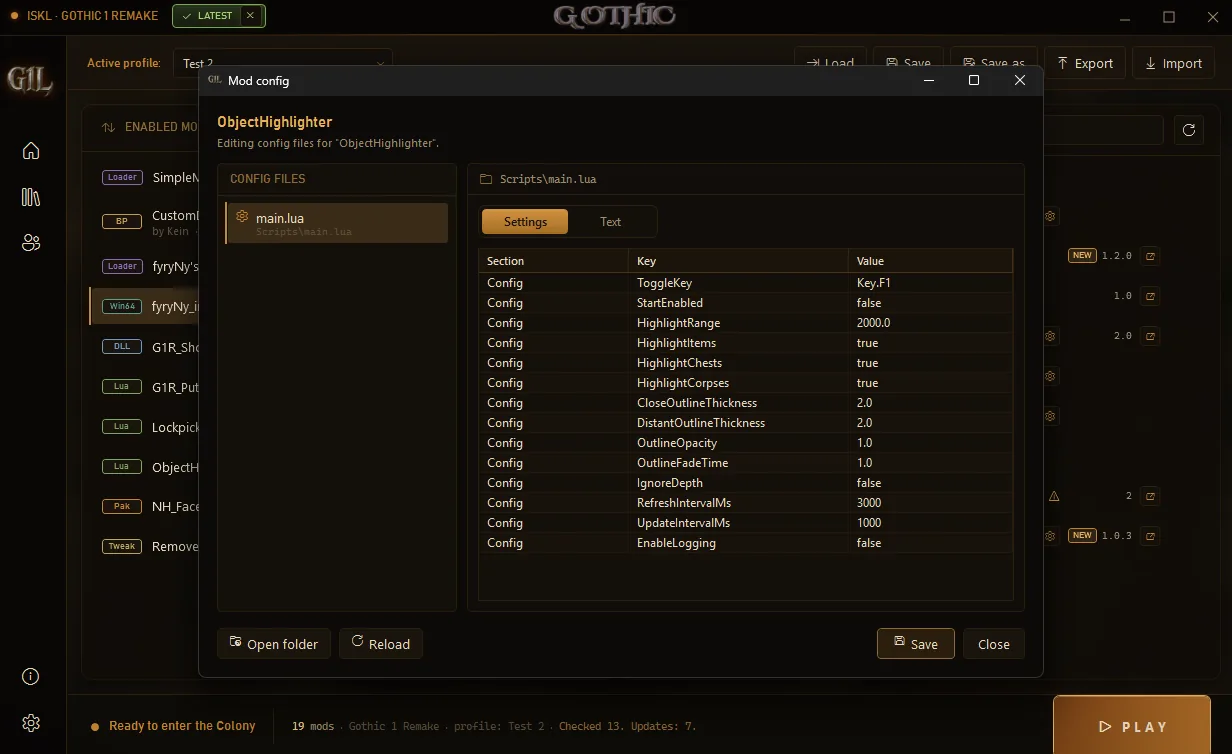
G1L can make a supported mod set easier to see and launch, but the package layout still matters. The official project screenshot shows entries such as Lua, Win64, DLL, Pak, Tweak, Loader, and Preset. Those labels help you understand the type of a managed item; they do not prove that two packages can share files or that a loader is installed correctly. Always compare the current mod instructions with what G1L displays.
Do not use the manager view as a substitute for reading a README. A package may install a loader beside the game executable, place scripts in a framework directory, edit an Engine.ini file, or require a separate tool. If an item is visible but has no effect, check whether it is enabled, whether its dependency is active, whether the selected profile is the one you launched, and whether the expected test scene is the same one described by the author.
| Visible type or task | Useful first check | Common boundary |
|---|---|---|
| Lua or script mod | Required framework and script folder | The script may need UE4SS or another loader |
| DLL or Win64 item | Executable-relative path and build note | A DLL in the wrong directory can be ignored or crash the game |
| Pak or visual content | Archive structure and conflict note | Two packages may replace the same asset |
| Tweak, preset, or Engine.ini change | Original configuration backup | A preset can change performance without fixing a loader problem |
| Profile switch | Selected profile and launch state | An enabled list is not proof that deployment finished |
Fehlerbehebung und sicherer Rollback
If the game crashes before the menu, return to the clean profile and remove only the newest change. Check the G1L path, the selected profile, archive nesting, required loader, and the game build before reinstalling anything. If the menu opens but the mod does nothing, confirm that the expected package is enabled, that its dependency is active, and that you launched the same profile you edited. A visible item in a manager is not the same as a successfully loaded feature.
If G1L and Vortex both touch the same installation, stop and write down which tool owns each file or profile. Do not troubleshoot by switching managers repeatedly while leaving both deployment states active. For a broader failure sequence, use the Mods Not Working guide; for console tools, use the console safety guide; for a save that will not load, preserve the original before trying a recovery copy.
- Crash before the menu: disable the newest G1L profile change, then test the clean game.
- Mod appears ignored: compare the selected profile, dependency state, archive nesting, and expected test location.
- Settings changed unexpectedly: restore the original config or create a fresh profile before testing again.
- Vortex and G1L disagree: choose one owner for the test, record the deployment state, and avoid mixed profiles.
- Save fails after testing: stop saving over the only copy and follow the backup and recovery boundary first.
G1L-FAQ für Gothic 1 Remake
Was ist G1L für Gothic 1 Remake?
G1L ist ein Community-Launcher und Mod-Workflow für Gothic 1 Remake. Er organisiert unterstützte Mods, Profile und Startaktionen, macht aber nicht jedes Archiv kompatibel und ersetzt keine Anweisungen des Autors.
Welche G1L-Version ist aktuell verifiziert?
Der am 22. August 2026 geprüfte offizielle GitHub-Release war v0.8.1, veröffentlicht am 13. Juli 2026. Prüfe die offizielle Release-Seite erneut, da eine spätere Version das aktuelle Paket ändern kann.
Ist G1L besser als Vortex?
Keines ist allgemein besser. G1L ist ein spielspezifischer Launcher mit Profilen, Vortex ein allgemeiner Manager mit Staging- und Deployment-Regeln. Nutze das vom Paket unterstützte Werkzeug und mische beim Debugging keine Deployment-Zustände.
Ersetzt G1L UE4SS?
Nicht automatisch. UE4SS ist ein Framework für manche Skripte und Plugins, G1L ein Launcher und Profilwerkzeug. Wenn ein Mod UE4SS verlangt, folge seiner aktuellen UE4SS-Anleitung.
Was tun, wenn ein G1L-Mod nicht lädt?
Kehre zum sauberen Profil zurück, deaktiviere die letzte Änderung, prüfe Profil, Spielpfad, Archivstruktur und Abhängigkeiten. Teste jeweils nur ein Paket mit einer kopierten Spielstanddatei.
Offizielle Quellen und Prüfhinweise
- Offizielle G1L-Projektseite — Projektübersicht und offizielle Screenshots für den visuellen Kontext dieser Seite.
- Offizieller G1L-v0.8.1-Release — Release-Seite für Version, Datum, Asset-Namen und Paketgröße geprüft.
- Offizielles G1L-Quellrepository — Vom Autor gepflegter Kontext für Launcher und Release-Workflow.